Swift - Create UICollectionViewController without Storyboard
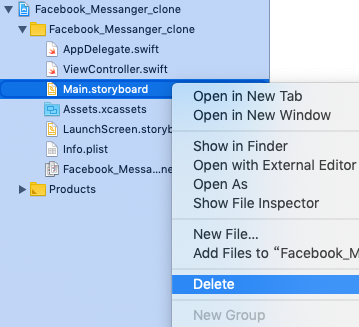
After we create a new project, first thing we need to do is to delete Main.storyboard. Next Step, go to project general setting -> Deployment Info, delete "Main" on Main Interface Good, and then we go to ViewController.swift, change Subclass to UICollectionViewController, also change collectionview's background to red color to specify that we are using UICollectionViewController. import UIKit class ViewController: UICollectionViewController { override func viewDidLoad() { super . viewDidLoad () // Do any additional setup after loading the view. collectionView . backgroundColor = UIColor . red } } Then, go to AppDelegate.swift, and now we have to manually build what storyboard do for us. In func application( _ application: UIApplication , didFinishLaunchingWithOptions launchOptions: [ UIApplication . LaunchOption...